Community Training Classes & Labs > EXAMPLE.COM Index
ConfigSync IP
HA vlan and IP address have already been provisioned on each WAF device.
Log into each WAF and configure the system to use the IP address on the “ha_vlan” as the “Local Address” for ConfigSync.
Navigate to: Device Management ›› Devices ›› asm1.site1.example.com
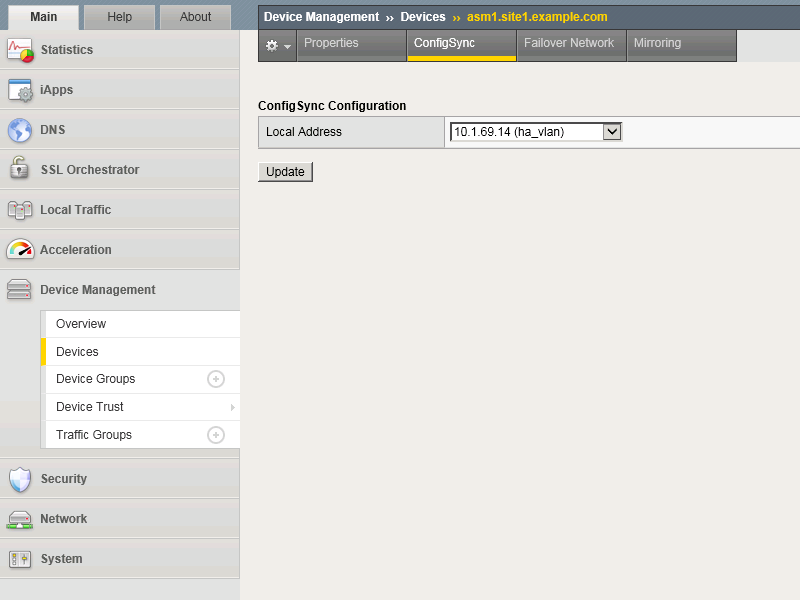
Repeat the above step for all WAF devices
TMSH command for asm1.site1:
TMSH
tmsh modify cm device asm1.site1.example.com configsync-ip 10.1.69.14
TMSH command for asm2.site1:
TMSH
tmsh modify cm device asm2.site1.example.com configsync-ip 10.1.69.15
TMSH command for asm1.site2:
TMSH
tmsh modify cm device asm1.site2.example.com configsync-ip 10.1.69.24
TMSH command for asm2.site2:
TMSH
tmsh modify cm device asm2.site2.example.com configsync-ip 10.1.69.25